
 Feeling bored with default appearance of Magento? Being confused with a number of CMS Page through system? Now you find CmsMenu extension and it will be your perfect solution!
How It Works
Just with some simple configuration in backend area, admin can control a various number of menu showing all CMS pages assigned. Site owner can create as many menus as they want with the unlimited number of included pages. The module supports showing menu title which helps to categorize pages in a particular way.
While creating a new menu in backend area, admin can adjust some settings for its name, position (left or right). Admin can also assign pages they want to appear on this menu. Two simple steps bring an eye-ching menu to your page, which makes it easier to optimize customer shopping experience effectively!
Potential Benefits
- Improve user experience.
- Easily control pages overall E-commerce system.
- Directly enhance advertisement optimization campaigns.
- Encourage customers to make purchasing decision.
- Make your website attractive and appealing.
CMS pages categorization? Problem solving!
Suppose you have many custom CMS pages but you can not arrange them appropriately. Feeling bored, feeling tired? Comprehending this situation, MGS built this extension as a powerful tool to solve everything in a minute. Your page will be neatly arranged with various specific menus, for your purchasers’ convenience. Look! Your website UX and UI are great now!
Amazing front-end appearance
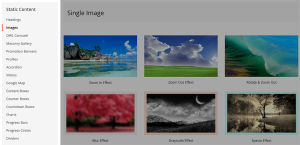
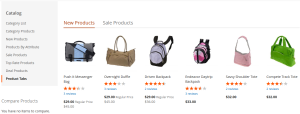
Not only does support categorizing CMS pages as particular purposes, but our extension also decorates your menu in order not to make it boring! Now when your customers come to your site, what they see not just main information at the center, not just wish-list table or compare products, they also see the neatly arranged “menu category tree”, ordered by menu title. Your website appearance now is absolutely great!
Administrator-friendly configuration panel
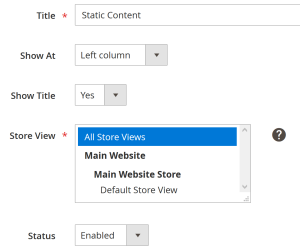
Designed for those admins who are not familiar with coding, CMS Pages Navigation extension contains a separate configuration section. Just some clicks to access it, and some choice with offered settings. Menu title, store-view, status… The administrator will find it easy to adjust the menu as their purposes.
List of available pages to assign
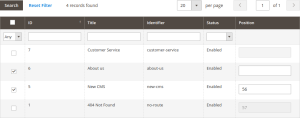
Nothing difficult when you need a can-be-assigned list page. Just find the page(s) you want to add menu, tick, tick, tick, and Save! That’s all you need to do without any discovering effort!